
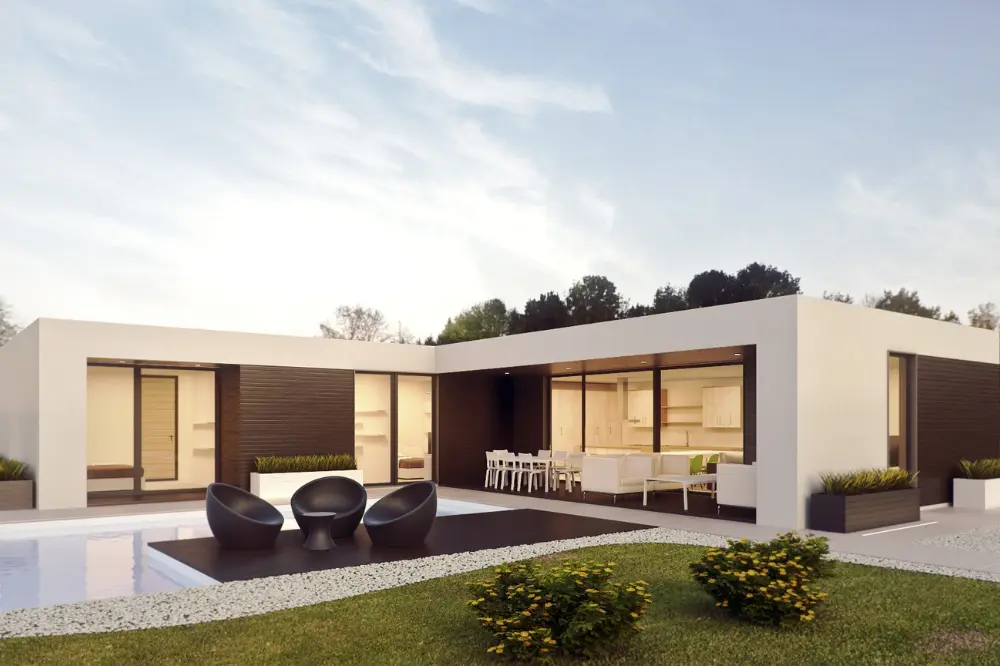



Best D5 Render Training Institute in Hyderabad – Practical Visualization Learning at CAD Center
Students who look for the Best D5 Render Training Institute In Hyderabad are usually not chasing certificates or shortcuts. They are looking for a place where rendering is taught patiently, practically, and with real design understanding. At CAD Center Hyderabad, our D5 Render training is built around this exact expectation — helping students convert drawings and 3D models into clear, realistic visual presentations through guided classroom learning.
Most learners who join us already know AutoCAD, SketchUp, Revit, or 3ds Max at some level. Their challenge is not software access, but how to use rendering tools properly. Our trainers focus on that gap, explaining the complete visualization process instead of only teaching software features.
Why CAD Center Focuses on Process, Not Just Software
Over years of classroom teaching, we have seen a common pattern. Students watch online videos, try presets, and still feel unhappy with their output. The reason is simple — rendering quality comes from understanding light, material behavior, camera composition, and scene balance, not from shortcuts.
Our CAD Center, D5 Render is taught as a professional workflow. Students are guided step by step so that they understand why a scene looks good and how to fix it when it doesn’t. This practical approach is what many learners expect when they search for the Best D5 Render Training Institute In Hyderabad.
Who Joins This D5 Render Course and Why
Architecture Students and Fresh Graduates
Architecture students often know drafting and modelling but feel confused when renders look flat or unrealistic. In our D5 Render classes, trainers slow down the learning pace and explain fundamentals clearly. Students work on real architectural scenes, not sample files, which helps them build confidence for portfolios.
Interior Design Students
Interior designers use D5 Render mainly for lighting and material studies. At CAD Center, we spend extra time on interior lighting logic, reflections, and texture detailing so that students can present residential and commercial interiors convincingly.
Civil Engineers and Site Professionals
Civil engineers use rendering for explanation rather than decoration. We guide them on producing clean exterior visuals, massing views, and walkthroughs that help in client discussions and approvals.
Working Professionals
Working professionals attend D5 Render training to upgrade their skillset without disturbing job schedules. Classes focus on real project workflows, quick revisions, and presentation clarity. Many professionals who search for the Best D5 Render Training Institute In Hyderabad prefer this balanced, practical learning style.
How D5 Render Is Taught at CAD Center
We do not rush into advanced tools. Training follows a clear structure.
Understanding the Real-Time Rendering Workflow
Students first learn how D5 Render works internally — how scenes load, how lighting updates in real time, and how system performance is managed. This foundation avoids confusion later.
Model Preparation and Import
Most rendering problems start with poor models. Trainers teach how to prepare and clean models before importing from SketchUp, Revit, or 3ds Max. This step alone improves output quality significantly.
Material Application with Control
Students learn how material properties affect realism. Instead of copying materials, they understand reflectivity, roughness, and texture scale through hands-on practice.
Lighting Based on Real Spaces
Lighting is explained using real-world examples. Trainers show how daylight behaves in interiors, how artificial lights should be layered, and how to avoid overexposure or dull scenes.
Camera Angles and Composition
Good renders fail because of bad camera placement. Students are trained to choose viewpoints that communicate space clearly and professionally.
Environment and Scene Balance
Vegetation, background, and context are added carefully. The focus is always on supporting the design, not distracting from it.
Walkthroughs and Motion Output
Basic walkthroughs and camera animations are taught for students who need motion presentations for clients or reviews.
This structured teaching method is one of the reasons CAD Center Hyderabad is often referred to by students as a Best D5 Render Training Institute In Hyderabad based on learning experience, not marketing claims.
Assignments and Project Practice
Learning happens through practice. Every student completes:
- Small exercises after each module
- One complete interior rendering project
- One complete exterior or commercial project
Projects are reviewed openly in class. Trainers explain mistakes and corrections clearly so students understand improvement areas.
Trainer Experience and Practical Exposure
D5 Render training at CAD Center Hyderabad is handled by trainers with 15+ years of industry and teaching experience. They have worked with architectural firms, interior studios, and visualization teams, which helps them guide students realistically.
Students often compare this course with options from a Vray Training institute in Ameerpet or an Enscape training institute in Ameerpet. Trainers explain where D5 Render fits practically and when V-Ray or Enscape may be more suitable, depending on project requirements.
Common Student Problems and Classroom Solutions
- Flat-looking renders → corrected through lighting and material balance
- Slow system performance → handled with optimisation techniques
- Confusion in camera angles → improved through composition guidance
- Lack of confidence → built through repeated practice and feedback
These practical solutions are what students expect when choosing the Best D5 Render Training Institute In Hyderabad.
Career Use of D5 Render – Honest View
This course does not promise placements or shortcuts. D5 Render supports roles such as:
- Architectural visualizer
- Junior architect
- Interior designer
- Freelance presentation support
Many students later combine this skill with advanced learning from a Vray Training institute in Ameerpet or an Enscape training institute in Ameerpet, depending on workplace needs.
Student Reach and Learning Environment
While CAD Center Hyderabad is physically located in Hyderabad, students join this D5 Render training from all over India. The focus remains on small batches, personal guidance, and steady improvement rather than volume-based training.
Frequently Asked Questions
Yes. Trainers start from the basics and explain the workflow slowly. Students are guided step by step, especially in the early sessions, so beginners don’t feel lost.
You will work on interior and exterior projects similar to real architectural and interior design work, not just sample files.
Regular practice is important. Students who spend a few hours each week revising class work usually see better improvement in output quality.
Yes. Completed projects from the course can be refined and used in portfolios, especially for interviews and client presentations.
D5 Render is often used for faster visualization and client presentations, while V-Ray is preferred for high-detail static renders. Trainers explain when each tool is suitable.
Yes. Many working professionals attend evening or weekend batches and focus on practical assignments that fit their schedules.
Trainers review your work, point out specific issues in lighting, materials, or camera angles, and explain how to correct them.
The focus is on both. Software tools are taught alongside design logic, composition, and presentation clarity.
Yes. Basic walkthroughs and camera animations are included for students who need motion-based output.
A mid-range system is usually enough. Trainers also teach optimisation techniques to work smoothly on available hardware.
Classroom training offers direct feedback, error correction, and structured learning, which is difficult to get from videos alone.
D5 Render skills support roles such as architectural visualizer, junior architect, interior designer, and presentation support roles.