


Revit Architecture Online Course in Hyderabad at CAD Center – Master Revit and Build Your BIM Career
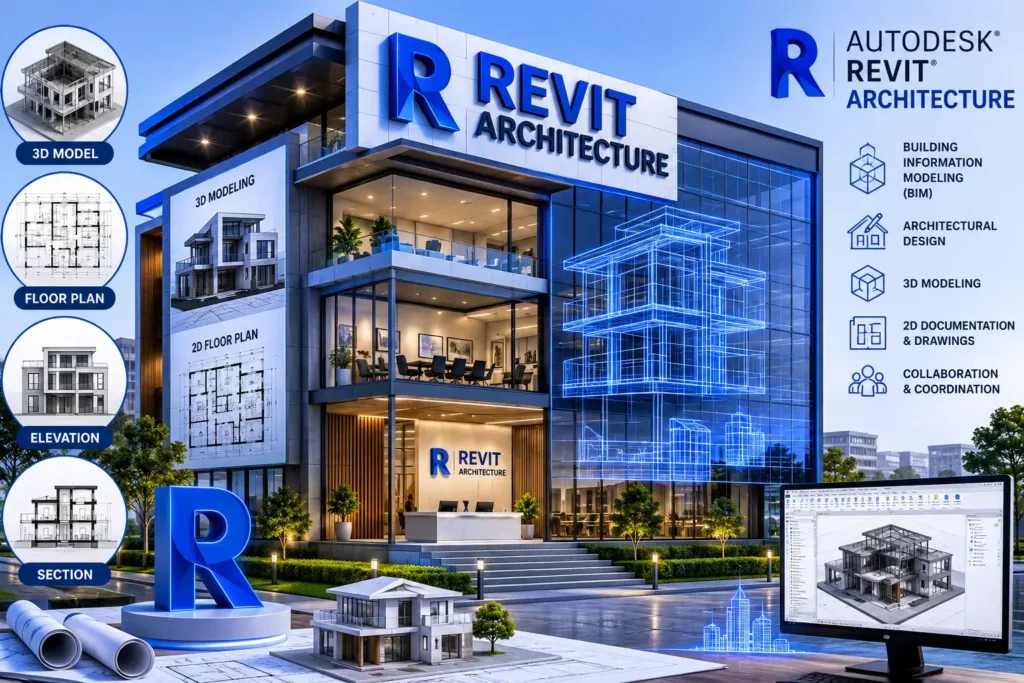
Revit Architecture is Autodesk’s BIM software for designing and documenting buildings in intelligent 3D — used industry-wide for everything from residential layouts to large commercial and institutional projects. CAD Center’s Revit Architecture course in Hyderabad teaches it through hands-on, project-based training, available both as classroom sessions at our Ameerpet centre and as live online batches, led by working BIM professionals rather than fixed-syllabus lecturers.
Why Learn Revit Architecture?
Revit Architecture has become the industry standard for architects and designers worldwide. It allows for intelligent 3D modeling, collaborative workflows, and comprehensive documentation — everything you need to deliver high-quality construction and architectural designs. Whether you’re transitioning from AutoCAD or starting fresh, mastering Revit gives you a strong edge in the modern AEC (Architecture, Engineering, Construction) industry.
In this Revit course, you’ll gain the technical proficiency and conceptual understanding needed to execute BIM-enabled projects effectively. Our Revit program is designed to empower students with tools that enhance design accuracy, reduce project rework, and streamline design-to-delivery processes.
Course Syllabus – Revit Architecture Masterclass
Module | Topics Covered |
1. BIM & Revit Foundations | BIM principles, Revit UI, templates |
2. Core Modeling Tools | Walls, floors, roofs, windows, doors |
3. Families & Customization | Family types, parameters, creation |
4. Annotation & Drafting | Text, dimensions, tags, callouts |
5. Views & Detailing | Sections, elevations, 3D views |
6. Worksharing & Collaboration | Worksets, links, coordination tools |
7. Rendering & Visualization | Walkthroughs, cameras, light settings |
8. Final Project | Real-world project + portfolio review |
This structure ensures a complete learning experience for beginners and professionals alike. Our course also emphasizes BIM Training in Hyderabad standards by helping students understand coordination workflows and industry documentation techniques.
Course Fees & Format
| | Details |
|—|—|
| Duration | [45 Days] |
| Mode | Classroom (Ameerpet, Hyderabad) or Live Online |
| Batch types | Weekday & weekend |
| Certification | Revit Architecture Certificate on completion |
| Fees | [ “Contact us for current fees — free demo available“] |
Exact fees depend on batch type and any ongoing offers — [book a free demo] or
contact us for current pricing.
Key Benefits of the Program
By enrolling in our Revit Architecture online Courses in Hyderabad, you’ll benefit from:
- Certified Trainers: Learn from architects and BIM experts with 15+ years of experience.
- Hands-On Practice: Build commercial, residential, and institutional models.
- Access to Real Tools: Use the latest version of Autodesk Revit 2025.
- Flexible Learning Modes: Choose from weekday or weekend sessions.
- Live Projects: Apply your skills in real-time collaborative environments.
Whether you’re a student or a working professional, this program helps you become job-ready and industry-relevant.
- Experience: All instructors are working professionals with deep AEC exposure.
- Expertise: Certified Autodesk Trainers with curriculum aligned to global BIM standards.
- Authority: CAD Center is recognized as a trusted name in design and CAD education.
- Trust: 50,000+ students trained with consistent positive feedback and placement success.
Our Revit Architecture Training in Hyderabad reflects both academic rigor and hands-on expertise, ensuring students not only learn but apply what they learn.
Who Should Take This Course?
Our Revit Architecture Online Courses is perfect for:
- Architecture and civil engineering students.
- Architects and interior designers.
- BIM coordinators and technicians.
- MEP engineers looking to upskill.
- CAD professionals moving into BIM roles.
With demand rising for skilled Revit modelers, particularly in urban planning, construction, and infrastructure development, Our Revit Course Hyderabad bridges the skills gap effectively.
Train With Us in Ameerpet
Our Revit Architecture classroom batches run at CAD Center’s Ameerpet centre —
walking distance from Ameerpet Metro Station. Prefer to learn remotely? The same
curriculum and trainers are available in our live online batches.
[See our Ameerpet centre details →] (AutoCAD Training Institute in Ameerpet)
What You’ll Learn
Our comprehensive course gives you:
- A solid foundation in BIM concepts and Revit workflows.
- Expertise in architectural design documentation.
- Advanced knowledge of views, families, detailing, and collaboration.
- The ability to model structures from conceptual design to final documentation.
- Portfolio-ready projects to showcase during interviews.
We also embed Revit Online Training elements so you can learn from anywhere while receiving the same expert support and interactive learning experience.
- A residential villa project with multi-floor layouts.
- A commercial high-rise with full documentation sets.
- Institutional building plans with annotation, sheets, and schedules.
This project-based approach ensures you learn not just software buttons, but the real project workflows used by professionals globally.
Advanced Features of Revit for Professionals
Modern commercial architecture requires mastery of Revit’s advanced capabilities:
Dynamo for Parametric Automation – Automating repetitive tasks, like placing gridlines or annotating multiple floors, saves hours of manual work.
Worksharing and Cloud Collaboration – Teams can simultaneously work on different aspects of a model, reducing project timelines.
Phasing and Design Options – Managing construction phases and multiple conceptual designs allows clients to visualize alternative solutions.
Integration with Analysis Software – Linking with tools like Autodesk Insight and Navisworks supports energy evaluation, clash detection, and construction simulation.
Tools & Software Access
We ensure you work in a practical, updated software environment:
- Autodesk Revit 2025 (licensed access during training).
- BIM 360 collaboration tools.
- Add-ons for rendering and modeling.
- Cloud file-sharing for project submission.
Top Features of Our Revit Architecture Training Program
- Interactive live classes with instructor Q&A.
- Revit Architecture Certificate upon completion.
- Small batches for individual attention.
- Access to recorded sessions and learning materials.
- Expert guidance on portfolio and resume building.
This course equips you with both the skills and credentials that employers look for.
Job Roles After Completing Revit Training
With a Revit skillset, graduates from CAD Center Ameerpet often find opportunities in:
- BIM Architect / Technician.
- Revit Modeler (Architectural/Civil/MEP).
- Junior Architect with Revit specialization.
- Architectural Designer.
- Visualization and Rendering Expert.
- CAD to BIM Coordinator.
This makes our program ideal for those seeking real career growth through hands-on Revit Architecture training in Hyderabad.
Tips to Maximize Your Learning Experience
To make the most of your time at a Revit architecture institute in Hyderabad Telangana, consider these strategies:
Engage with Live Models – Practicing with real-world commercial layouts improves your problem-solving skills.
Explore Family Libraries – Create and customize families for doors, windows, and furniture to increase productivity.
Collaborate in Teams – Simulate multi-discipline coordination as in actual office workflows.
Stay Updated with Software Enhancements – Revit updates frequently; understanding new features keeps you competitive.
Active engagement ensures that you not only master the software but also understand how to apply it effectively in commercial contexts.
Build Your Future in Architecture with CAD Center
The AEC industry is rapidly digitizing, and BIM has become essential. Whether you’re looking to land your first job, get promoted, or work abroad, mastering Revit is a smart investment. Join CAD Center to gain industry-ready Revit skills and the confidence to apply them in real-world scenarios.
Take the next step in your design career with the most trusted Revit Architecture online course Institute in Hyderabad. Contact us today to learn more, book a free demo, or enroll in the next batch.
Frequently Asked Questions
Revit Architecture is used to design and model buildings in 3D with detailed architectural elements like walls, floors, doors, windows, and roofs. It is mainly used in building design, planning, and construction documentation.
They serve different purposes rather than one being strictly “better.” AutoCAD is primarily 2D drafting software, while Revit is a full BIM platform — every element you place is a data-rich 3D object, not just a line. Most architecture firms today use Revit for building design and documentation, while AutoCAD remains common for detailing and firms not yet on BIM workflows. Many professionals learn both.
Architecture and civil engineering students, working architects and interior designers, BIM coordinators, MEP engineers upskilling into BIM roles, and CAD professionals transitioning from 2D drafting into BIM careers. No prior Revit experience is required to start.
Our course covers BIM and Revit fundamentals, core modeling tools (walls, floors, roofs, doors, windows), custom family creation, annotation and drafting, sectional and detail views, worksharing and team collaboration, rendering and visualization, and a final real-world project you can use in your portfolio.
Basic Revit skills can be learned in a few weeks, but becoming confident in real project work usually takes a few months of practice with building models and drawings.
Yes — Revit is the standard BIM software requirement in most architecture, engineering, and construction firm job listings today. Graduates commonly move into roles like BIM Architect, Revit Modeler, Architectural Designer, or CAD-to-BIM Coordinator.
Both run on the same Revit platform but focus on different disciplines. Revit Architecture is built for architectural design — walls, spaces, floor plans, building envelopes. Revit Structure is built for structural engineering — framing, foundations, reinforcement, and structural analysis coordination. Many BIM professionals learn both to work across disciplines.
Yes. Revit Architecture is commonly used for interior layouts, space planning, furniture families, and interior detailing, especially on projects where the interior needs to stay coordinated with the building’s architectural model.
The core modeling tools are approachable for beginners, especially with structured, project-based training. The learning curve increases with advanced features like families, worksharing, and Dynamo — which is why hands-on practice with real project types matters more than tutorial-watching alone.
No, it’s not required. Revit is a separate platform with its own logic and workflow. That said, students with prior AutoCAD experience often pick up Revit’s documentation and drafting tools slightly faster since some concepts (views, annotations, sheets) carry over conceptually.