




Best AutoCAD Training Institutes in Hyderabad
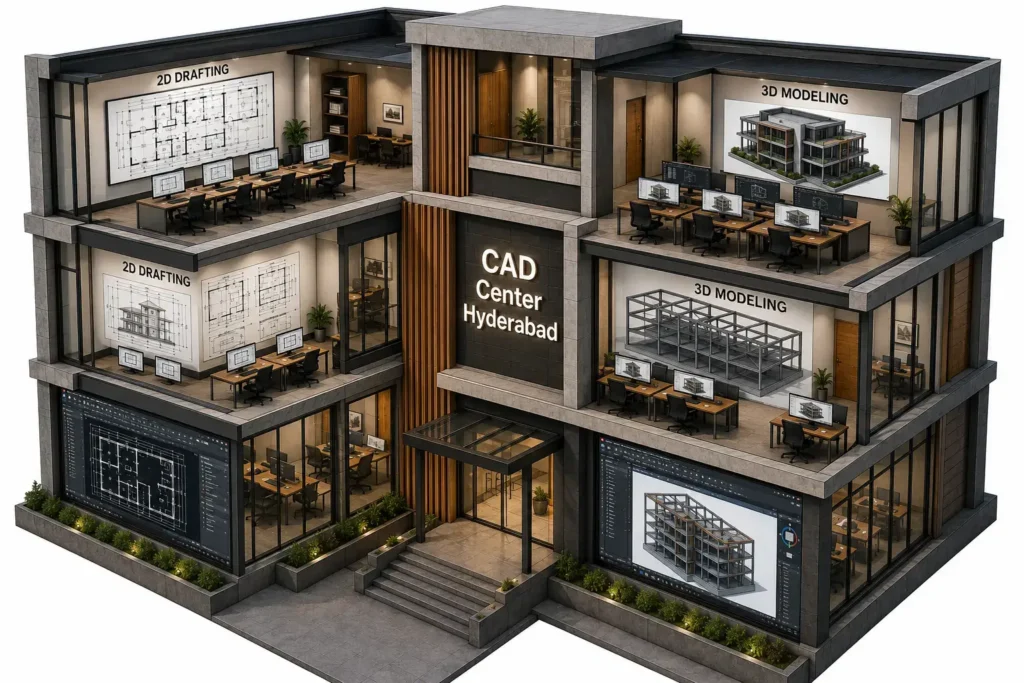
Looking to build a career in technical design and drafting? Join one of the most comprehensive AutoCAD Training institutes in Hyderabad and master AutoCAD—a powerful software used for creating precise 2D and 3D designs across industries. Unlock your potential in fields like mechanical, electrical, architecture, MEP, structural design, interior design, transportation, and landscape. This course is carefully structured to train both beginners and professionals in 2D and 3D CAD design, real-world project execution, and industry-standard workflows.
What is AutoCAD?
AutoCAD is a professional computer-aided design (CAD) software developed by Autodesk, used to create precise 2D technical drawings and 3D models. It is the industry standard for engineering drawing, architectural drafting, and mechanical design across construction, manufacturing, and infrastructure sectors.
Why Choose Our AutoCAD Coaching centre ?
- Autodesk-certified instructors with 15+ years of industry experience
- Project-based learning approach
- Online, offline, and weekend batch options
- Latest software versions with practice files
- Portfolio preparation and job assistance
If you’re searching for AutoCAD Institutes in Hyderabad, Our institute offers both practical skills and career outcomes.
Why AutoCAD Skills Matter in Today’s Industry
AutoCAD remains a foundational skill in multiple technical domains:
- Civil engineering drafting
- Mechanical component design
- Architectural floor planning
- Electrical schematic layouts
- Structural detailing
Even with advanced BIM and 3D software available, AutoCAD drafting is still the base requirement in most companies. Engineers and designers are expected to interpret and create technical drawings with precision.
AutoCAD training at CAD Center Hyderabad covers 2D drafting, 3D modeling, and professional workflow skills across 6 to 12 weeks depending on the program level. Courses are available for civil, mechanical, and architectural engineering streams, with Autodesk certification preparation included in advanced batches. Both weekday and weekend AutoCAD classes in Hyderabad are available.
Detailed Syllabus – AutoCAD Course
A complete AutoCAD course in Ameerpet at CAD Center is structured across three progressive phases. Each phase builds directly on the previous one, and no phase is rushed to fill a fixed calendar.
Phase 1 — 2D Drafting Fundamentals
- Drawing environment setup — units, drawing limits, grid, snap, and coordinate input methods (absolute, relative, polar)
- Core draw commands — Line, Polyline, Arc, Circle, Ellipse, Spline, Rectangle, Polygon, Construction Line
- Modify commands — Trim, Extend, Offset, Mirror, Array (rectangular and polar), Fillet, Chamfer, Stretch, Scale, Rotate
- Layer management — creating and naming layers, controlling visibility, assigning line types, line weights, and colors by layer
- Dimensioning — linear, aligned, angular, radial, diameter, ordinate, baseline, continue, and tolerance dimensions
- Annotation — text styles, multiline text, single-line text, field text, leaders, and multileaders
- Blocks and attributes — creating reusable symbols, inserting blocks, defining and extracting attribute data
- Hatch and gradient fills — pattern selection, boundary detection, hatch editing
- Layouts and viewports — paper space setup, floating viewports, viewport scale, title block placement
- Plot and print setup — plot styles (CTB and STB), page setup manager, scaling for output, PDF export
Phase 2 — 3D Modeling and Visualization
- 3D workspace and UCS — switching workspaces, defining User Coordinate System planes for model construction
- Solid primitives — Box, Cylinder, Sphere, Cone, Wedge, Torus creation and precise placement
- Boolean operations — Union, Subtract, and Intersect for complex geometry creation
- Extrude, Revolve, Sweep, Loft — profile-based solid creation for real mechanical and architectural forms
- Surface modeling basics — NURBS surfaces, surface patching for organic forms
- 3D navigation — Orbit, ViewCube, visual styles (wireframe, shaded, realistic)
- Basic rendering — material assignment, lighting types, camera placement, rendered output
Phase 3 — Professional Drawing Workflow
- External references (Xrefs) — attaching, clipping, and managing referenced files in multi-discipline projects
- Sheet set manager — organizing multi-sheet drawing packages, auto-labeling, transmittal setup
- DWG, DXF, and PDF file management — format conversion, partial open, audit and purge procedures
- Industry drawing standards — IS, BIS, and ISO drawing conventions applied to real project drawings
Course Duration and Learning Structure
Course Level | Duration | Key Focus | Suitable For |
Beginner | 6–12 Weeks | 2D Drafting Basics | Students & Freshers |
Intermediate | 6–12 Weeks | Advanced Tools & Layouts | Diploma & Engineering Students |
Advanced | 6–12 Weeks | 3D Modeling & Projects | Working Professionals |
Course Fees
AutoCAD course fees vary depending on the level (Beginner, Intermediate, or Advanced) and mode (online/offline). Contact us for exact pricing for your preferred batch and schedule.
What's Included in Your Course Fee
✓ Software installation support — get AutoCAD set up and ready to use
✓ Updated study material — aligned with the latest AutoCAD version
✓ Flexible training mode — choose offline (Ameerpet campus) or online
✓ Autodesk certification — recognized certificate upon course completion
What You Will Learn – Tools, Techniques & Deliverables
- AutoCAD 2D Drafting – line work, annotation, layers, dimensioning, and block creation.
- AutoCAD 3D Modeling – solids, surfaces, mesh, rendering, walkthroughs.
- Industry Templates – A3/A1 title blocks, ISO & BIS drawing standards.
- Dynamic Blocks & Xrefs – efficiency tools for large engineering projects.
- Mechanical & Electrical Sheets – parts lists, wiring diagrams, fabrication tables.
- MEP Integration – HVAC, fire safety, lighting and plumbing overlays in unified CAD environment.
Certification Importance
Certification validates your drafting skill. It helps during job interviews and technical assessments. A professional AutoCAD certificate shows structured learning and project experience.
Employers often test candidates on live drafting tasks. Proper training prepares you for such evaluations.
Course Delivery & Batch Info
- Duration: 6–12 weeks (fast-track and weekend options available)
- Tools Used: AutoCAD 2024/25, Autodesk Viewer, AutoCAD Electrical, AutoCAD Mechanical, ReCap
- Assignments: 10+ individual and 3 capstone projects (multi-domain)
- Assessment: Weekly quizzes, mid-term, and final project review
This ensures a smooth and confident transition from a learner to a job-ready CAD designer, with strong grounding from one of the top-rated AutoCAD Training Institutes in Hyderabad.
Who Should Enroll in AutoCAD Training
- Engineering students in mechanical, electrical, civil, and architecture.
- Professionals in construction, MEP, interior, and infrastructure sectors.
- Freelancers & entrepreneurs offering CAD services.
- Technicians and draftsmen upgrading to digital CAD workflows.
Real-World Application Areas
- Mechanical: Component design, assembly drawings, machine layout planning.
- Electrical: Panel wiring, circuit diagrams, power distribution drawings.
- Architecture: Building layouts, facade detailing, architectural walkthroughs.
- Structure: RCC detailing, structural frame modeling, load calculations.
- Interior: Furniture layout, color themes, lighting simulation.
- Landscape: Garden layout, road & boundary design, green cover mappingTransportation: Road and bridge drafting, traffic planning sheets.
- MEP: Integrated services layout across HVAC, plumbing, and electrical.
Additional Features
- Access to learning materials and recorded sessions.
- Lifetime access to project files and drawing templates.
- Continuous mentor support and design reviews.
- Join a community of successful CAD professionals.
Conclusion
Whether you’re a student or a professional, mastering AutoCAD can open doors in multiple industries. From architectural layouts to mechanical assemblies and MEP coordination, this tool remains the industry standard. Our institute—widely known among AutoCAD Training Institutes in Hyderabad—bridges the gap between classroom knowledge and field application, giving you the skills that employers demand.
Frequently Asked Questions
AutoCAD is mainly used for creating technical 2d drawings, engineering layouts, construction documentation, fabrication drawings, and design drafting.
Engineering students, diploma holders, architects, interior designers, draftsmen, and working professionals can join AutoCAD training program.
Yes. Civil engineering students use AutoCAD for floor plans, structural drawings, sections, elevations, and site layouts.
Students learn CAD drafting, layer management, dimensioning, plotting, annotation, drawing organization, and technical documentation.
Most professional AutoCAD classes include project-based drafting exercises for real-world learning.
CAD drafting is the process of creating technical drawings digitally using computer-aided design software like AutoCAD.
No. Beginners can learn AutoCAD effectively with structured training and regular drafting practice.
Engineering drawing classes help students understand projections, dimensions, scales, and technical drawing standards.
Yes. Professional training includes layout creation, plotting, scaling, and print-ready drawing preparation.
Yes. A design and drafting certification helps validate technical drafting skills, improves professional credibility, and enhances job opportunities in engineering, architecture, construction, and design industries.
A: Fees vary by level and mode (online/offline). Contact us via WhatsApp or call for a detailed quote based on your chosen batch.
A: No additional costs — your course fee includes software installation support, updated study material, and Autodesk certification, along with the flexibility to choose offline or online training.