
What Is AutoCAD AI?
AutoCAD 2027 AI features refers to the set of artificial intelligence and machine learning capabilities embedded directly into Autodesk’s AutoCAD platform. These tools assist designers and engineers by automating repetitive tasks, generating geometry suggestions, identifying drawing errors, and enabling natural language interaction with the software — cutting design time while improving accuracy.
How Autodesk AI Is Reshaping AutoCAD in 2027
The shift from manual CAD workflows to AI-assisted design has been building for years. AutoCAD 2027 represents the most significant step Autodesk has taken toward making AutoCAD AI a core part of the design experience — not a side feature or plugin.
Where earlier versions offered basic automation, AutoCAD 2027 bakes AI into the command structure, the interface, and the drawing engine itself. This is no longer about working faster. It is about working smarter with fewer errors from the very first line.
For engineers, architects, and designers who use AutoCAD daily, understanding exactly what these AI features do — and how to use them — is now practical knowledge, not optional reading.
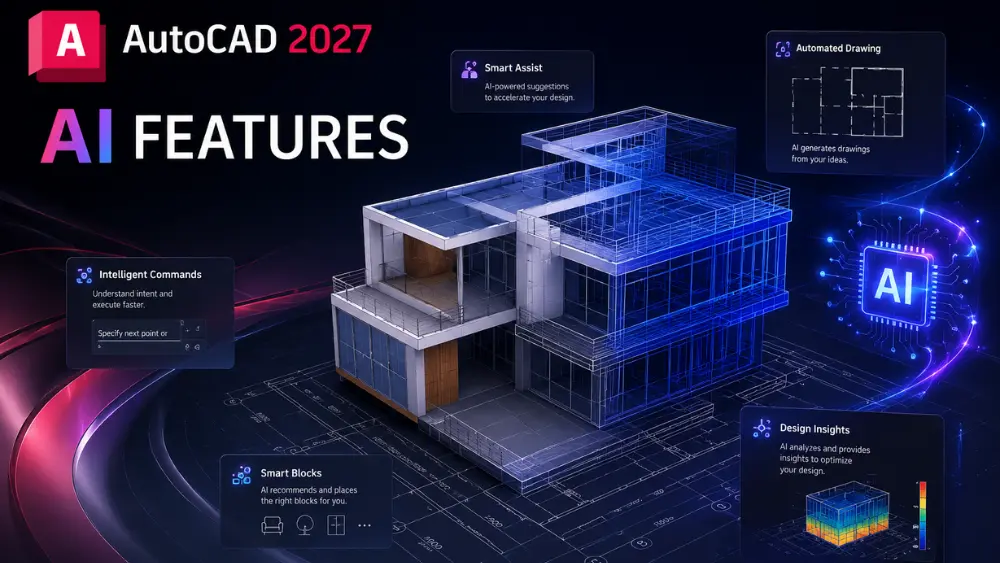
AutoCAD AI Tools in 2027: Full Feature Breakdown
1. AI-Powered Smart Blocks
Smart Blocks in AutoCAD 2027 use machine learning to recognize the context of your drawing and suggest relevant blocks automatically. When you place a door in a floor plan, for example, the system reads surrounding geometry, identifies wall thickness and swing direction, and offers the most appropriate block variants.
This feature learns from your project history. The more you work within a specific drawing type — mechanical, architectural, electrical — the more precise the suggestions become over time.
It eliminates the time spent searching block libraries manually and reduces the risk of inserting incompatible geometry.
2. Generative Design Integration
AutoCAD AI in 2027 connects directly with Autodesk’s generative design engine. You define constraints — dimensions, load requirements, material type — and the AI generates multiple valid geometry options that meet those parameters.
This is particularly useful in structural and mechanical design where the solution space is large and manually exploring every option is not feasible. The AI narrows that space to the best candidates, and the designer makes the final call.
It does not replace engineering judgment. It gives engineers a faster starting point.
3. Natural Language Command Input
One of the most visible AutoCAD 2027 ai features is natural language command processing. Instead of memorizing command strings, users can type or speak instructions in plain language.
A prompt like “create a 3m x 5m rectangle centered on this point and offset it by 100mm” gets interpreted and executed directly. The AI parses intent, maps it to the correct commands, and runs the sequence.
This significantly reduces the learning curve for newer users and speeds up the workflow for experienced ones who want to prototype ideas quickly without interrupting their focus.
4. Automated Drawing Error Detection
AutoCAD AI tools in 2027 include a real-time drawing validation layer. As you work, the AI continuously checks for common drafting errors — unclosed geometry, overlapping lines, inconsistent layer assignments, missing dimensions, and non-standard annotation.
Instead of running a manual audit at the end of a project, errors are flagged inline as you draw. Each flag includes a suggested fix, which you can accept or dismiss.
For teams delivering drawings for construction or manufacturing, this reduces the back-and-forth in review cycles.
5. AI-Assisted Dimensioning
Dimensioning is one of the most time-consuming parts of production drafting. In AutoCAD 2027, the AI analyzes your geometry and automatically places dimensions according to the drawing standard you have selected — ISO, ASME, or a custom standard.
It reads geometry relationships, identifies what needs dimensioning, and places annotations in the correct position with the right format. You can override any placement or value.
This alone cuts annotation time on complex drawings by a measurable margin — and the output is consistent rather than dependent on individual attention.
6. Predictive Command Suggestions
As you work in AutoCAD 2027, the AI tracks your command patterns within a session and begins anticipating your next action. If you consistently follow TRIM with EXTEND during a particular type of edit, the system surfaces that sequence proactively.
It is a subtle feature, but over a full working day it removes a lot of small friction. The command bar effectively becomes context-aware rather than passive.
7. AI-Driven Layer Management
Layer management is essential for drawing organization, but it becomes complex quickly on large projects. Autodesk AI in 2027 includes a layer intelligence system that can analyze your drawing and recommend a layer structure based on the drawing type, detected object categories, and industry conventions.
It can also auto-assign objects to correct layers when they have been placed on the wrong one — a common issue when importing geometry from external sources.
8. Intelligent Reference Image Tracing
AutoCAD 2027 can take a scanned drawing or reference image and use AI to trace it into editable geometry. It distinguishes between lines, arcs, text, and symbols — and converts each appropriately.
Earlier versions required manual tracing or external tools. The AI trace in 2027 handles most standard engineering drawings with high fidelity and significantly reduces the time needed to digitize legacy documentation.
9. Collaborative AI Suggestions in Shared Projects
When multiple team members work on the same drawing through Autodesk’s cloud platform, the AI now tracks edits across the team and can flag conflicting changes before they are merged. It also suggests coordination points where different designers’ geometry intersects.
This is a practical feature for large AEC projects where coordination failures cost time and money.
10. AI in AutoCAD for 3D Modeling
AI in AutoCAD is no longer limited to 2D workflows. In 2027, the 3D environment includes AI-assisted constraint solving, intelligent surface matching, and automated section generation from 3D models.
When a 3D model is updated, the AI can propagate relevant changes to associated 2D views and sections — reducing the rework that typically follows design revisions.
AutoCAD Ai Features: Comparison Table
Feature | AutoCAD 2025 | AutoCAD 2026 | AutoCAD 2027 |
Smart Block Suggestions | Basic | Improved | Context-aware with project learning |
Natural Language Input | Not available | Preview only | Fully integrated |
Generative Design | External plugin | Partial integration | Native integration |
Drawing Error Detection | Manual check | Basic real-time alerts | Full real-time validation |
AI Dimensioning | Not available | Limited | Full automation with standard support |
AI Layer Management | Not available | Rule-based | AI-driven with auto-assignment |
3D AI Assistance | Not available | Not available | Section generation + constraint solving |
Image Tracing AI | Basic raster trace | Improved geometry | High-fidelity multi-type trace |
Why AutoCAD AI Matters for Working Professionals
For someone who uses AutoCAD on production projects, these features are not novelties. They address real bottlenecks — annotation time, error checking, block management, layer cleanup — that eat into project schedules every week.
The professionals who adopt and understand these tools early will be faster, more accurate, and better positioned to handle complex project scopes. Those working in sectors like architecture, MEP, civil infrastructure, and manufacturing will see the most direct benefit.
AutoCAD AI does not change what CAD is — it changes how efficiently a skilled person can use it.
Learning AutoCAD 2027 AI Features: What You Need to Know
Understanding these features on paper is different from applying them fluently in a real project. The commands, settings, and workflows need hands-on practice to become second nature.
If you are looking to build practical skills on the latest Autodesk AI features, structured training helps considerably. AutoCAD training institutes in Hyderabad have updated their curricula to include AI-driven workflows in AutoCAD 2026 and 2027, giving professionals and students direct practice with the tools covered in this article.
For those based in the city, our AutoCAD centres in Hyderabad offer both beginner and advanced level programs that cover AI-assisted drafting, generative design workflows, and production-ready practices
What Does AutoCAD AI Do in 2027?
AutoCAD AI in 2027 automates drafting tasks like block placement, dimensioning, layer assignment, and error detection using machine learning. It adds natural language command input, generative design tools, and real-time drawing validation. The AI learns from your project history, anticipates commands, and integrates with 3D workflows — making it a fully embedded design assistant, not just a background utility.
Conclusion
AutoCAD 2027 AI features is a substantial upgrade, not a marketing increment. The features listed in this article address real workflow problems — and each one is designed to make a skilled designer more effective rather than replace their judgment.
Whether you are an experienced professional catching up on Autodesk’s latest direction or someone building skills from the ground up, knowing how AI in AutoCAD works is now core technical knowledge for anyone serious about CAD.
Frequently Asked Questions
No. The AI tools are built into standard commands and workflows — natural language input, smart blocks, error detection — so they work as an extension of normal AutoCAD use, not a separate skill you need to learn first.
No. It narrows a large solution space down to a set of valid geometry options based on your constraints — the final design decision and engineering judgment still rest with you.
Yes. The AI tools are additive to the standard drafting workflow, not a requirement — you can work exactly as you did in earlier versions and adopt AI features gradually.
2026 introduced partial, often preview-only AI tools (basic real-time alerts, limited dimensioning). 2027 makes these fully integrated and automated — see the comparison table above for the full feature-by-feature breakdown.
Yes. It places dimensions according to the standard you’ve selected for the drawing and can be manually overridden at any point.
Yes — the Intelligent Reference Image Tracing feature converts scanned drawings or reference images into editable lines, arcs, text, and symbols, which is particularly useful for digitizing older legacy drawings.
Feature availability can vary by Autodesk subscription tier — check your current plan or ask during a course demo to confirm which AI tools are included.
No — AI-assisted workflows are taught as part of standard training rather than as a separate advanced track, since the features are built into everyday commands rather than being a separate toolset.
Yes — it’s specifically useful for cleaning up geometry imported from external sources, auto-detecting and reassigning objects placed on incorrect layers.
Yes. Since AI-assisted workflows are now standard rather than optional, learning them from the start avoids picking up manual habits you’d need to unlearn later.