
Architecture and interior students often ask the same question: Enscape, V-Ray or Lumion? All three produce impressive images and walkthroughs, and all three show up in design-office job posts. But they work in very different ways, and choosing the wrong one first can cost you weeks of learning time.
This guide compares Enscape vs VRay vs Lumion in simple terms: how each one works, how fast it is, how real the final images look, and which one suits your course, software and career plan.
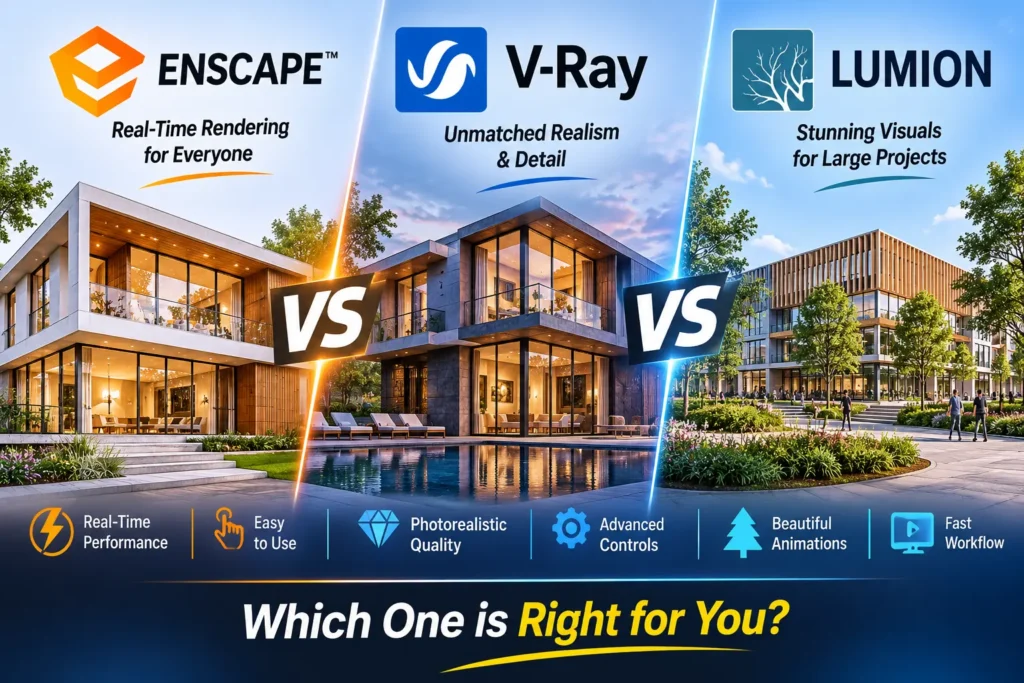
Enscape vs VRay vs Lumion: The Short Answer
- Enscape: best if you model in Revit, SketchUp, Rhino or Archicad and want fast, real-time visuals without leaving your model.
- V-Ray: best if you want the highest control over photorealistic stills, especially for interiors, product and visualization studio work.
- Lumion: best if you want to build a full scene with landscape, people, animation and cinematic effects for client presentations.
If you are a complete beginner in architecture or interior design, the usual path is a modelling tool first, such as SketchUp or Revit, then one renderer, and only then a second one.
What Is Enscape?
Enscape is a real-time rendering plugin made by Chaos. It runs inside your modelling software, so when you move a wall or change a material, the rendered view updates immediately. It works with Revit, SketchUp, Rhino, Archicad and Vectorworks. Enscape is popular in architecture offices because designers can check lighting, materials and spaces during design, not just at the end. Our Enscape course is built around this design-stage workflow.
What Is V-Ray?
V-Ray is a physically based rendering engine, also from Chaos. It simulates how light behaves in the real world, and it can render on the CPU, the GPU or both. V-Ray is available for software such as 3ds Max, SketchUp, Revit and Rhino. It gives you deep control over lighting, materials, cameras and render settings, which is why many visualization studios use it for final, photorealistic images. The trade-off is that it has more settings to learn and renders usually take longer than in real-time tools. You can learn it in our V-Ray course, often together with 3ds Max.
What Is Lumion?
Lumion is a standalone real-time visualization application. You bring your model in, often through its LiveSync link with SketchUp, Revit or Archicad, and then build the scene inside Lumion: landscape, trees, people, vehicles, water, weather and animation. It is popular for client-ready presentation videos and for projects where the surroundings matter as much as the building. Lumion works as a separate program, so you manage a second file alongside your model. Learn it in our Lumion course, and read our Lumion 3D software 2026 guide for more detail.
Real-Time vs Ray-Traced: Why They Feel So Different
Enscape and Lumion are real-time tools. They show you a result almost immediately, so you can try many ideas quickly. V-Ray is a ray-tracing engine built for physical accuracy and fine control. Its results can look more refined, but you wait longer to see them and you tweak more settings. Neither approach is better in every case. Real-time tools are better for fast design decisions and presentations. Ray-traced rendering is better when a still image must be as polished as possible.
Comparison Table : Enscape vs vray vs lumion
Feature | Enscape | V-Ray | Lumion |
Type | Real-time plugin | Ray-tracing render engine | Standalone real-time app |
Works inside your modelling software | Yes | Yes (plugin version for each host) | No, uses a separate app with a live link |
Common host software | Revit, SketchUp, Rhino, Archicad, Vectorworks | 3ds Max, SketchUp, Revit, Rhino and more | SketchUp, Revit, Archicad and others through LiveSync or file import |
Speed to first image | Very fast | Slower | Fast |
Control over lighting and materials | Moderate | Very high | Moderate to high |
Learning curve | Easy | Steeper | Easy to moderate |
Strong point | Design-stage visuals | Photorealistic stills | Scenes, landscape, animation |
Typical user | Architect, BIM designer | Visualizer, interior designer | Architect, landscape and urban designer |
Always check each vendor’s official page for the latest system requirements and supported versions before you install.
What’s New in 2026?
Lumion
Lumion Pro 2026.0 (February 2026) added an area placement tool that can populate large outdoor spaces with up to 5,000 nature items in one pass, plus LiveSync import of PBR material maps from SketchUp, Revit and Archicad and an improved AI upscaler for images up to 16K. Lumion Pro 2026.1 (July 2026) added ray-traced panoramas, shareable VR panoramas through Lumion Cloud, a material pattern editor for brick, tile and paving, and custom effect presets and project templates.
Enscape
Recent Enscape updates continue to build out Chaos Cosmos, the asset library, and add AI tools such as Veras. According to a Chaos reseller’s summary of Enscape 4.22 (November 2026), the release adds a beta AI assistant, image-based asset search in Cosmos, a beta 3D model generation feature and updates to Veras. Some AI features use Chaos Credits, so check the details before you rely on them.
V-Ray
V-Ray remains Chaos’s main engine for high-end stills and animation, and it continues to be updated for each host application. If you plan to specialise in visualization, check the current release notes for your host software.
Which One Should You Learn First?
Learn Enscape first if…
- You are an architecture or BIM student working in Revit or SketchUp.
- You want quick visuals during design and for client reviews.
- You are new to rendering and want a gentle start.
Learn V-Ray first if…
- You want a career in visualization or interior design rendering.
- You enjoy controlling light, materials and camera settings in detail.
- You plan to learn 3ds Max or work with a visualization studio.
Learn Lumion first if…
- Your projects need landscape, people and vehicles in the scene.
- You make walkthrough videos and presentation animations for clients.
- You like building a scene in a separate, visual environment.
Many designers end up knowing two of them: for example Enscape for daily design work and V-Ray for final marketing images. D5 Render is another real-time option we teach at our D5 Render course. To see how rendering fits with modelling tools, read our guide to the best rendering plugins for SketchUp in 2026.
Which Rendering Software Do Employers Ask For?
It depends on the type of firm. Architecture and BIM offices that work in Revit often prefer real-time tools like Enscape. Visualization studios and interior design firms often ask for V-Ray, usually with 3ds Max or SketchUp. Presentation-heavy and landscape practices often use Lumion. Before you choose, open job listings in your target city and note which software appears most often. That is a better guide than any general ranking.
Conclusion
There is no single best renderer. Enscape wins on speed and ease inside your design software, V-Ray wins on control and photorealism, and Lumion wins on complete scenes and animation. Choose the one that matches your host software and the kind of work you want to do, build a portfolio with it, and add a second tool later.
Ready to Learn Rendering Hands-On?
This comparison covers the key differences — for structured, project-based training, explore our rendering courses.
Frequently Asked Questions
None is better in every case. Enscape is best for fast design-stage visuals, V-Ray for detailed photorealistic stills, and Lumion for full scenes and animations. Choose by your host software and the work you want to do.
Enscape is generally the easiest, because it runs inside your modelling software and updates in real time. Lumion is also beginner-friendly. V-Ray has the steepest learning curve because it offers the most control.
They suit different workflows. Enscape is a plugin that works directly in your model, which is convenient for design iteration. Lumion is a separate application that offers a larger scene-building environment, which is useful for presentations and animations.
V-Ray usually offers more control and can reach a higher level of photorealism, but it takes longer to set up and render. Enscape is much faster for everyday work.
Enscape and V-Ray both have Revit versions. Lumion can work with Revit through its LiveSync connection.
Interior designers often use V-Ray with 3ds Max or SketchUp for polished stills, and also use real-time tools such as Enscape or Lumion for quick client walkthroughs.
Real-time renderers rely heavily on the graphics card, and V-Ray can use the CPU, GPU or both. Check each vendor’s official system requirements before buying or installing.
Yes, and many professionals do. A common combination is a real-time tool for daily work and V-Ray for final images.
Yes. Rendering tools display a model you built elsewhere, so learn SketchUp, Revit or 3ds Max first.
Cad Center Hyderabad offers Enscape, V-Ray and Lumion training, along with our interior design courses.