
If you are starting a BIM career, you will hear two software names again and again: Revit and Navisworks. Both come from Autodesk, both appear in almost every BIM job description, and both are often taught together. So which one should you learn first?
The short answer is that they do different jobs. Revit is where a building model is created. Navisworks is where models from different teams are combined, checked and reviewed. This guide explains the difference in plain language, shows where each fits in a project, and helps you decide which to learn first based on your own background and career goal.
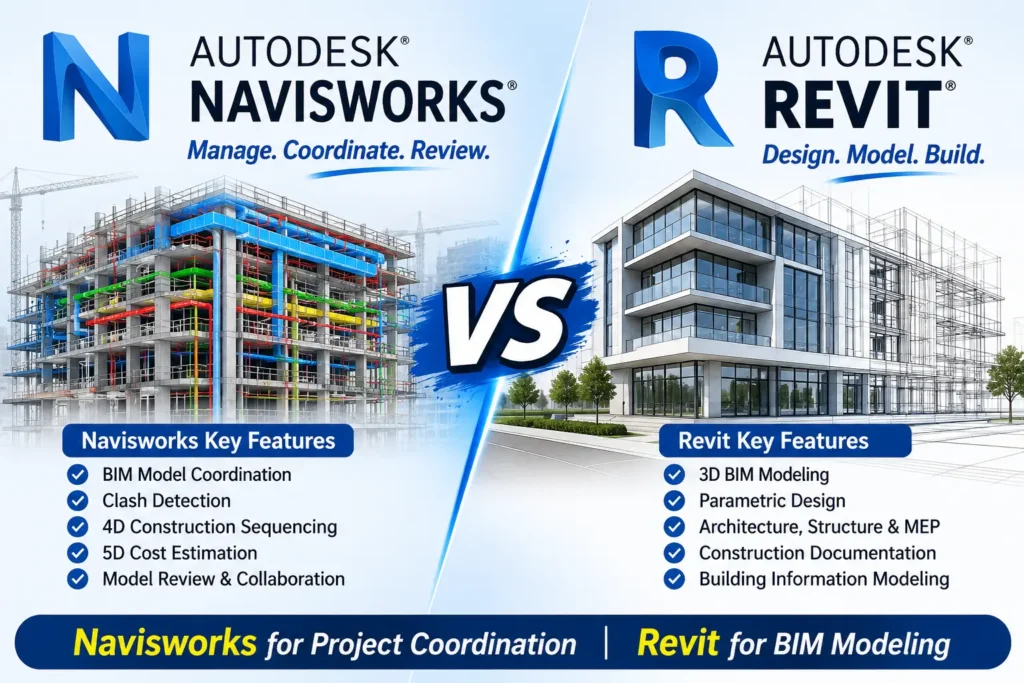
Navisworks vs Revit
Think of a building project with an architect, a structural engineer and an MEP engineer. Each one builds a model in their own software, usually Revit. Before construction starts, someone has to check whether the ductwork passes through a beam, whether a pipe hits a column, and whether the construction schedule matches the model. That is the job Navisworks does.
- Revit is a BIM authoring tool. You model walls, slabs, beams, ducts, pipes and families, and produce drawings, schedules and sheets from that model.
- Navisworks is a coordination and review tool. You bring many models together, find clashes, link the model to a schedule for 4D simulation, and share results with the team.
What Is Revit?
Revit is Autodesk’s BIM software for architecture, structure and MEP. Instead of drawing lines, you place intelligent objects such as walls, columns and ducts that carry data. When you change one element, views, sheets and schedules update with it. Revit comes in discipline-focused uses: Revit Architecture, Revit Structure and Revit MEP. To see how Autodesk is adding AI to it, read our Revit 2027 AI features guide.
What Is Navisworks?
Navisworks is Autodesk’s project review and coordination software. It reads models from many sources, including Revit, AutoCAD and IFC files, and brings them into one federated model. In Navisworks Manage you can then:
- Run clash detection between disciplines, such as structure vs MEP.
- Link the model to a project schedule for 4D simulation using TimeLiner.
- Extract quantities for estimation.
- Create viewpoints, animations and walkthroughs for review meetings.
Navisworks is not a modelling tool. You do not design the building in it, you check and communicate about it. A free viewer called Navisworks Freedom lets other people open a published NWD file without a full licence.
Core Difference Between Navisworks and Revit
Purpose
Revit creates and documents the model. Navisworks reviews, coordinates and validates models, often from several authors and several software tools.
Main users
Architects, structural engineers, MEP engineers and BIM modellers spend most of their day in Revit. BIM coordinators, VDC engineers, planners and project managers spend more time in Navisworks.
Stage of the project
Revit is strongest in design and documentation. Navisworks becomes most valuable when the design models come together, before and during construction. For the full process, see our BIM workflow in construction guide.
Learning experience
Navisworks has far fewer modelling tools than Revit, so its interface can feel simpler. But using it well depends on understanding what the models contain: levels, systems, naming, coordinates and discipline responsibilities. Learners who already know Revit usually find that context makes Navisworks easier to understand.
Navisworks vs Revit: Comparison Table
Feature | Revit | Navisworks |
Main purpose | Create and document BIM models | Combine, review and coordinate models |
Model creation | Yes, full parametric modelling | No, not a modelling tool |
Drawings and schedules | Yes | Limited, mainly review and markup |
Clash detection | Basic interference checks | Advanced, with Clash Detective (Manage) |
4D simulation | Not its focus | Yes, with TimeLiner |
Reads other formats | Revit, with import options | Many formats, including Revit, AutoCAD and IFC |
Typical roles | BIM modeller, architect, structural and MEP engineer | BIM coordinator, VDC engineer, planner |
Best learned | First, for most beginners | After Revit basics |
A Simple Workflow: How Revit and Navisworks Work Together
- Each discipline builds its model in Revit.
- The models are opened in Navisworks, or exported to Navisworks cache files (NWC), and appended into one federated model.
- The coordinator runs clash tests, for example structure vs ducts.
- Clash results are grouped, assigned and sent back to the design teams.
- The teams fix the issues in Revit, models are updated, and the clash tests run again.
- The final model is published for review and construction planning.
This loop is a core part of BIM coordination and is often managed through a shared project environment. Read more in our guide to the Common Data Environment (CDE).
Navisworks File Types: NWC, NWF and NWD
Beginners often get confused by Navisworks files. In short:
- NWC is a cache file created automatically when Navisworks reads a CAD or Revit file.
- NWF stores links to the source files plus your views, clash results and viewpoints. It is recommended for multi-file projects because it picks up the latest versions of the source files.
- NWD is a self-contained snapshot that includes the models and your review data. It can be opened in Navisworks Freedom, which makes it useful for sharing.
What’s New in Navisworks 2027?
Navisworks 2027 focuses on making coordination work faster for teams who run many clash tests. Notable changes include:
- Clash test folders with folder-level reset, update and delete, plus drag-and-drop ordering.
- Clash Test Matrix to create several tests at once that share settings but target different geometry, properties or search sets.
- Clash Result Rename to apply a naming format to several clashes together.
- Appearance Profiler improvements, including rule reordering, editable colours and a refresh button.
- Support for NWL files, CATIA V6 (including 3DXML) and USD files.
- Much faster deletion of files from an NWF, and more than 250 fixes.
When to Learn Revit First
- You are a civil, architecture or mechanical student or fresher.
- You want to work as a BIM modeller, drafter or design engineer.
- You have never used BIM before.
- You want the widest set of entry-level job options.
When to Learn Navisworks First
- You work in site execution, planning or project management and mostly review models made by others.
- You already understand drawings and construction sequencing and want to move into coordination.
- Your company needs 4D simulation or clash reports more than new models.
Even then, a basic understanding of Revit helps you read the models you are checking.
Skills Demand in 2026
One industry source that compiles Indian BIM job listings describes Revit as essential for most BIM roles, with clash coordination in Navisworks among the most requested skills. It also lists 4D simulation among the high-demand skills and Dynamo automation among the growing ones. The same source gives these indicative salary ranges, which are the source’s own estimates and not guaranteed:
Role | Experience | Indicative salary (₹ LPA) |
BIM Modeller / Revit Drafter | 0–2 years | 3.0–5.5 |
Junior BIM Engineer | 1–3 years | 4.5–7.5 |
BIM Coordinator | 3–6 years | 7.0–12.0 |
The pattern is useful: modelling roles are the usual entry point, and coordination roles, where Navisworks is central, tend to come with experience and higher pay. For the full picture, see our BIM salary in India guide and the BIM Manager vs Coordinator vs Author career path.
Practical Recommendation
- Start with Revit: learn modelling, families, views, sheets and schedules in your discipline.
- Add Navisworks: learn model federation, clash detection, viewpoints and TimeLiner.
- Learn the process: understand BIM workflows, naming and the CDE, so your clash reports make sense to teams.
- Prepare for interviews: practise with our BIM Coordinator interview questions.
If you are weighing other tools alongside these two, our guide to Tekla vs Revit and the overview of the BIM courses may help.
Conclusion
Revit and Navisworks are not rivals. They are two halves of one BIM workflow: one builds the model, the other proves it works before construction. For most beginners, Revit first and Navisworks second is the safest path. If you already work on site or in planning, Navisworks can be a quick way into coordination. Either way, engineers who understand both are best placed for BIM coordinator and VDC roles.
Ready to Learn Navisworks Hands-On?
This comparison covers the key differences — for structured, project-based training in Navisworks, explore our full course.
Frequently Asked Questions
Most beginners should learn Revit first, because it teaches how BIM models are built. Learn Navisworks next for coordination, clash detection and 4D simulation. If you already work in planning or site coordination, you can start with Navisworks.
Yes, you can learn the Navisworks tools on their own. But a basic understanding of Revit models makes it much easier to interpret what you see and to explain clashes to design teams.
No. Navisworks is not a modelling tool. It reviews and coordinates models that are usually created in Revit or other authoring software.
It is the process of checking whether elements from different models occupy the same space, for example a duct passing through a beam. Navisworks Manage includes the Clash Detective tool for this.
It depends on your background. Navisworks has fewer modelling tools, so the interface is smaller, but using it well requires understanding project models, naming and coordination processes.
Revit appears in more entry-level BIM roles. Navisworks skills are valued for coordinator and VDC roles, which usually need some experience. Many employers expect both.
NWC is an automatic cache file. NWF stores links to source files with your review data. NWD is a self-contained file that can be shared and opened in the free Navisworks Freedom viewer.
The Navisworks Freedom viewer is free and can open NWD files. Navisworks Manage, which includes the full coordination tools, is a paid Autodesk product.
For BIM roles, it is a strong advantage. Revit supports design and modelling, while Navisworks supports coordination, scheduling and construction review.
Cad Center Hyderabad offers a Navisworks course and Revit courses, along with our wider BIM training.